TradeWise: Modern App for Market Insights and Investments
Designing a modern stock trading app focused on helping users track market trends, manage their portfolio, and make informed investment decisions with an intuitive interface and clean visuals.
Role
UX/UI Designer
Industry
Fintech
Duration
1 month
Stage 1. User Research
I started by studying how the stock market works to understand the basics of trading and investment behavior. After that, I researched the common challenges investors face — such as tracking their portfolios, staying updated with market trends, and making informed investment decisions easily. To gain more insights, I explored existing stock market apps to analyze their features, layouts, and overall user experience. I also used Google and AI tools to gather additional information and inspiration to design an interface that helps users view their portfolios and market insights more effectively.
Stage 2.Design Ideation & Concept Development
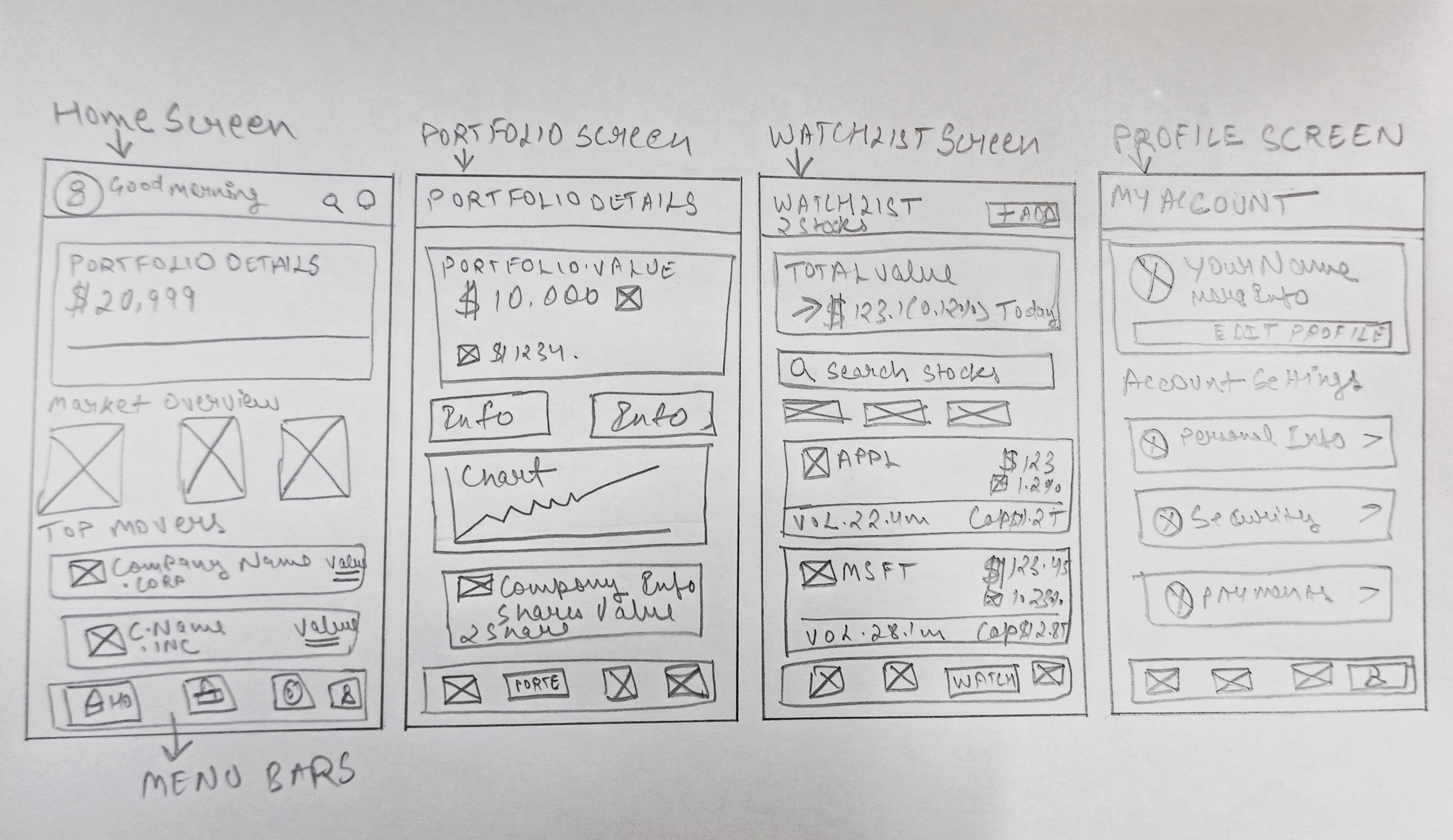
After completing my research, I started thinking about how to make the app simple and user-friendly for everyone who invests or follows the market. My focus was to create a clean structure where users can easily check their portfolio, see market trends, and make quick investment decisions. I began by sketching some ideas and wireframes to see how different layouts could work. This helped me decide the main flow of the app and how each section should connect. My goal in this stage was to give the app a modern look with clear navigation and easy access to important details.
Stage 3. Design Execution
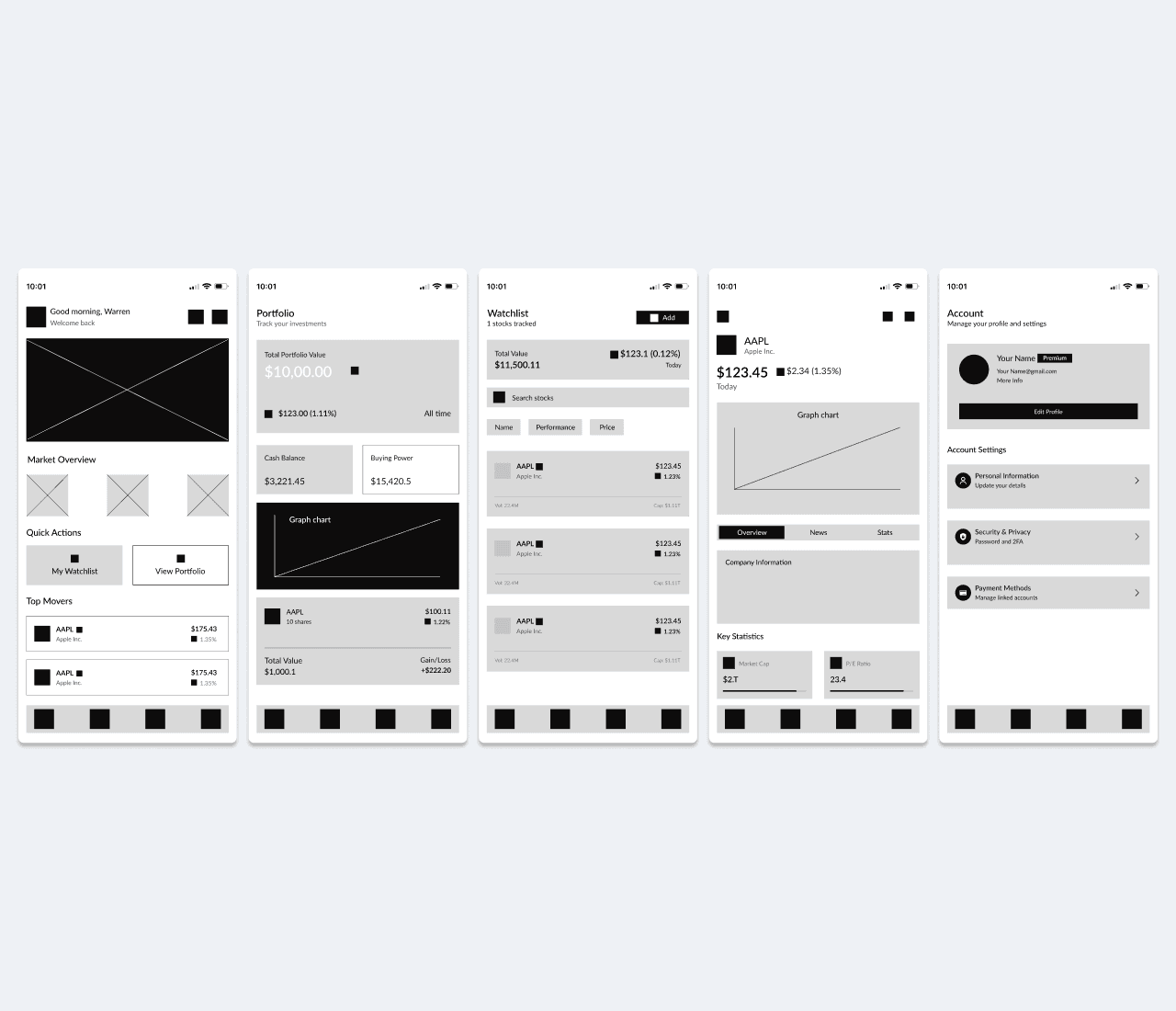
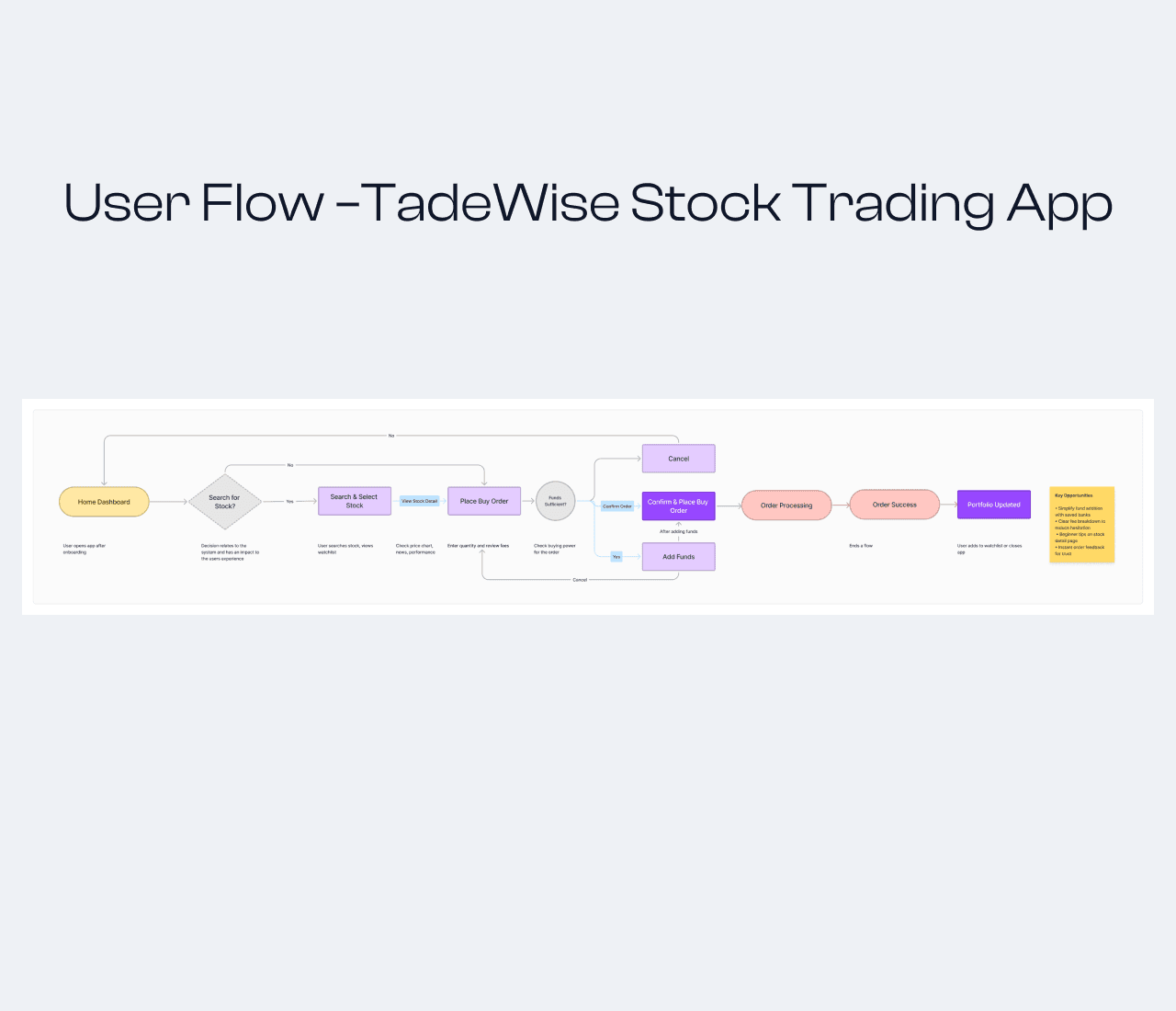
Wireframing: I began by creating low-fidelity wireframes to plan the overall structure and navigation of the app. This helped me map out how users would move between key screens like Home, Portfolio, Watchlist, and Account. The focus was on creating a simple and logical flow that allows users to check stock details and portfolio performance quickly.
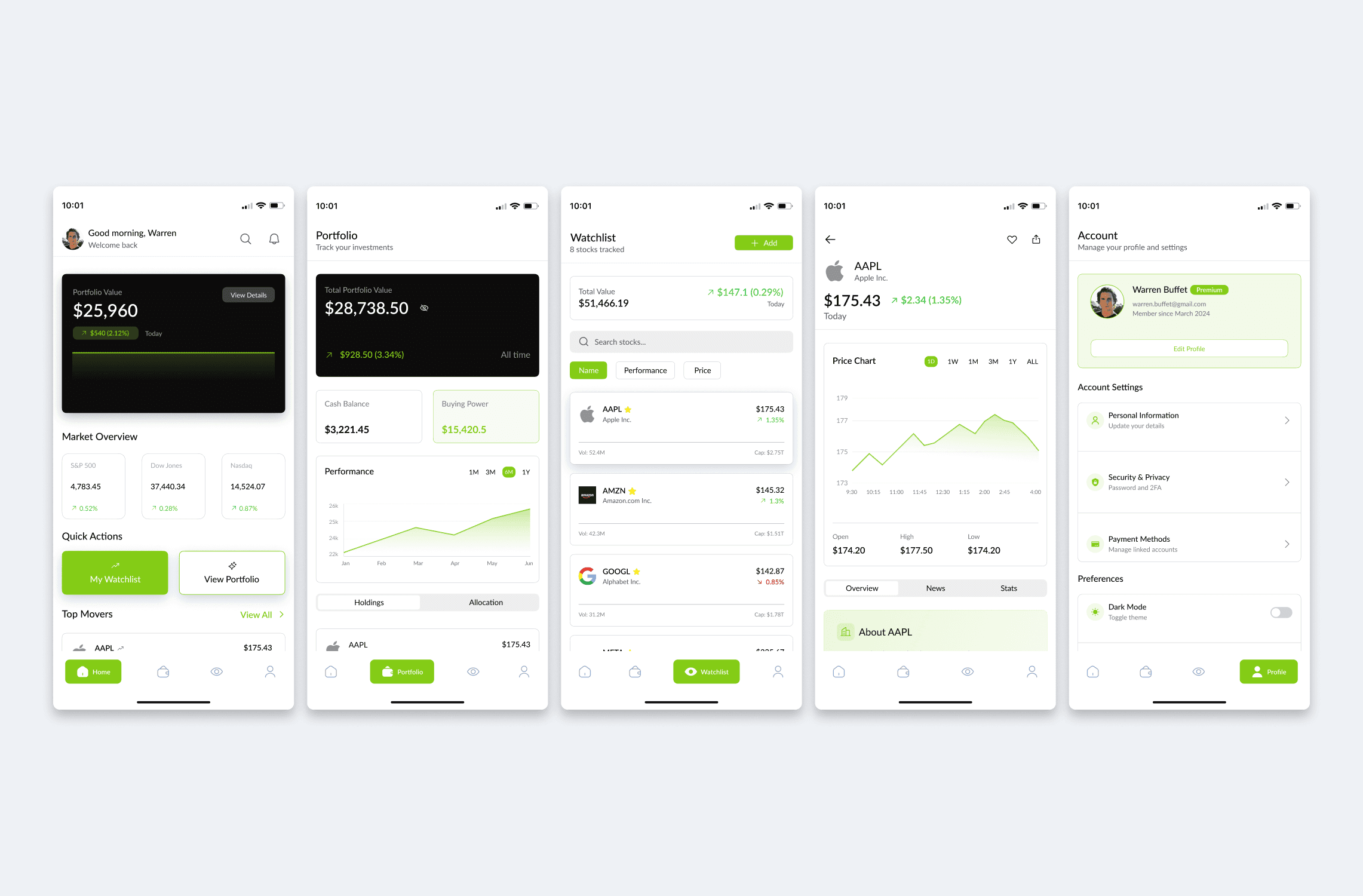
Prototyping: After finalizing the wireframes, I built an interactive prototype to visualize the app’s functionality. I added screens such as the Watchlist to show how users can track multiple stocks in real-time and view market data easily. The prototype helped me refine transitions and confirm that the navigation felt natural and fluid.
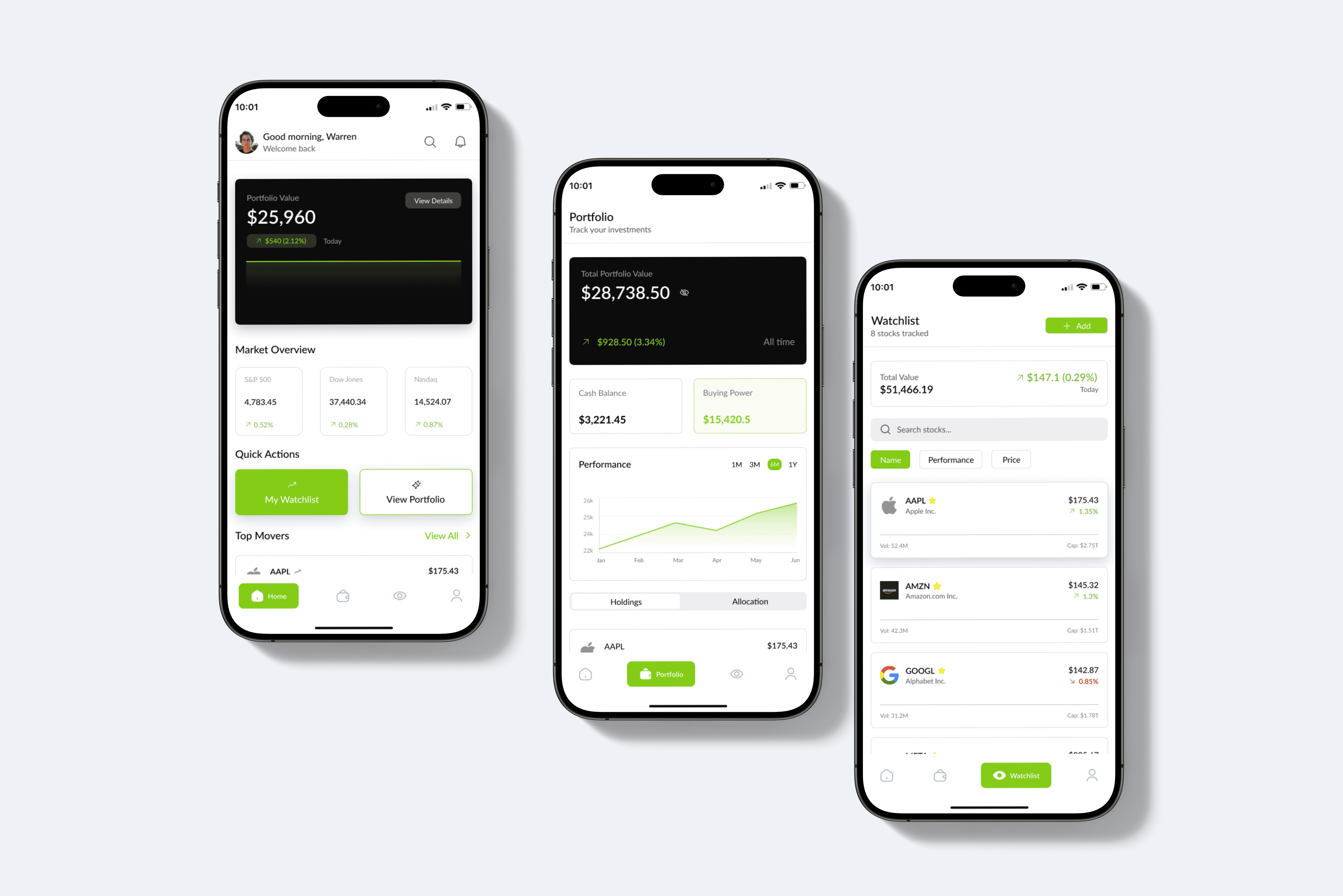
User Interface Design: In the final step, I focused on the overall look and feel of the app. I went for a light, professional theme with clean layouts, balanced spacing, and sharp graph lines to give it a modern trading dashboard feel. I used lime green and black accents to highlight key data points and actions, giving the app a confident yet approachable personality.
Stage 4. User Testing & Iterations
After finishing the first prototype, I shared it with a few stock market users and posted it on Reddit and LinkedIn for real feedback. Their insights highlighted the need for clearer portfolio data, smoother navigation, and better readability. I refined spacing, improved contrast, and simplified flow between screens.
These changes made the app more intuitive and visually balanced for all users.
Stage 5. Final Presentation and Documentation
I wrapped up the project by putting everything together — from research to final design — into a clear and detailed case study. The final prototype highlights a clean, modern trading experience that feels smooth and easy to use. I made sure every part of the design was backed by user feedback and proper research, so the final result looks professional and works well for real users.
Outcomes
The project helped me understand user behavior in stock trading and improved my design thinking skills. It also strengthened my ability to create structured layouts, use consistent design systems, and focus on usability. TradeWise turned out to be a clean and professional app that simplifies stock tracking for everyday investors.
Other projects
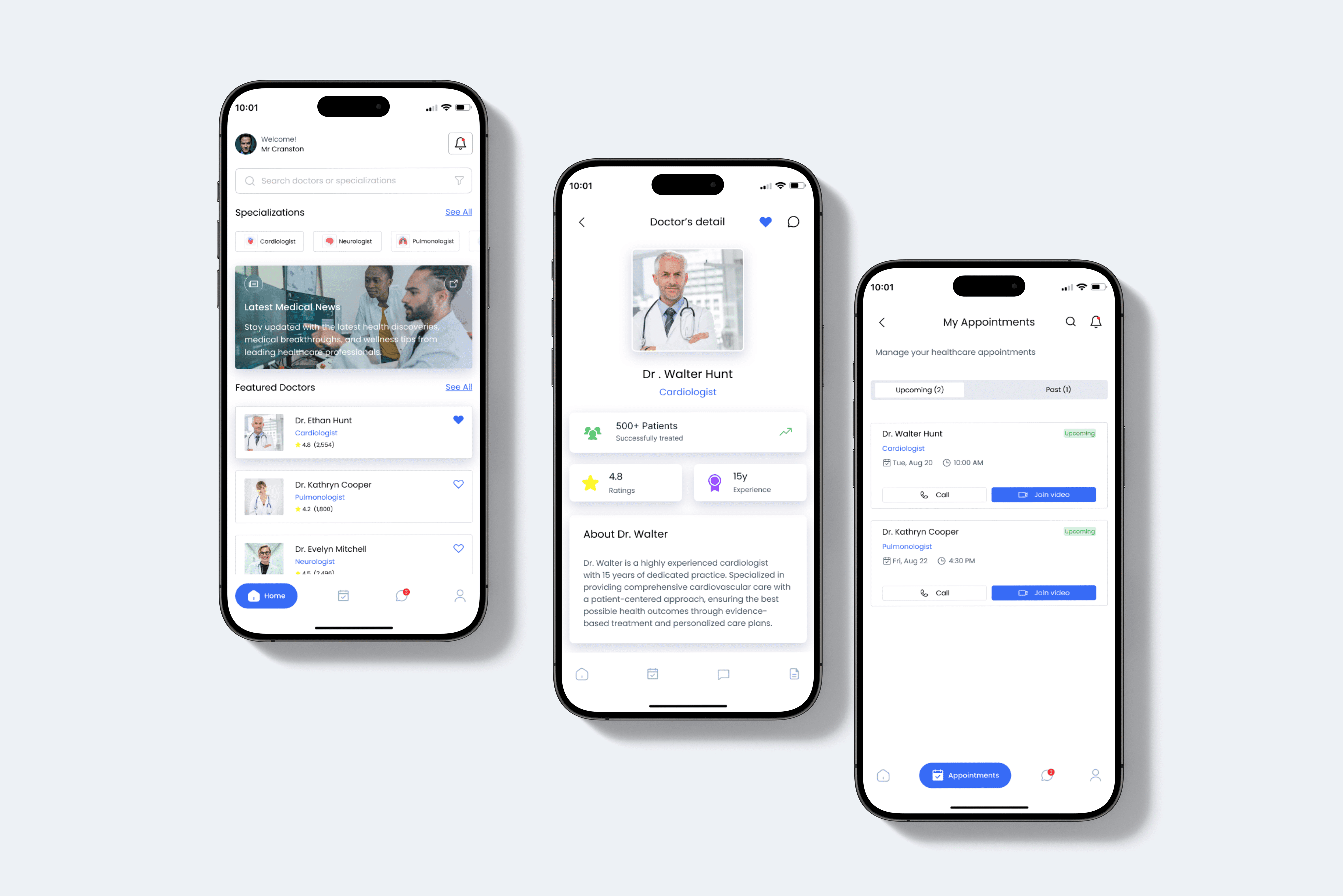
DocOn: Doctor Appointment Booking App
DocOn is an app for booking doctor's appointments, enabling users to schedule appointments from anywhere.
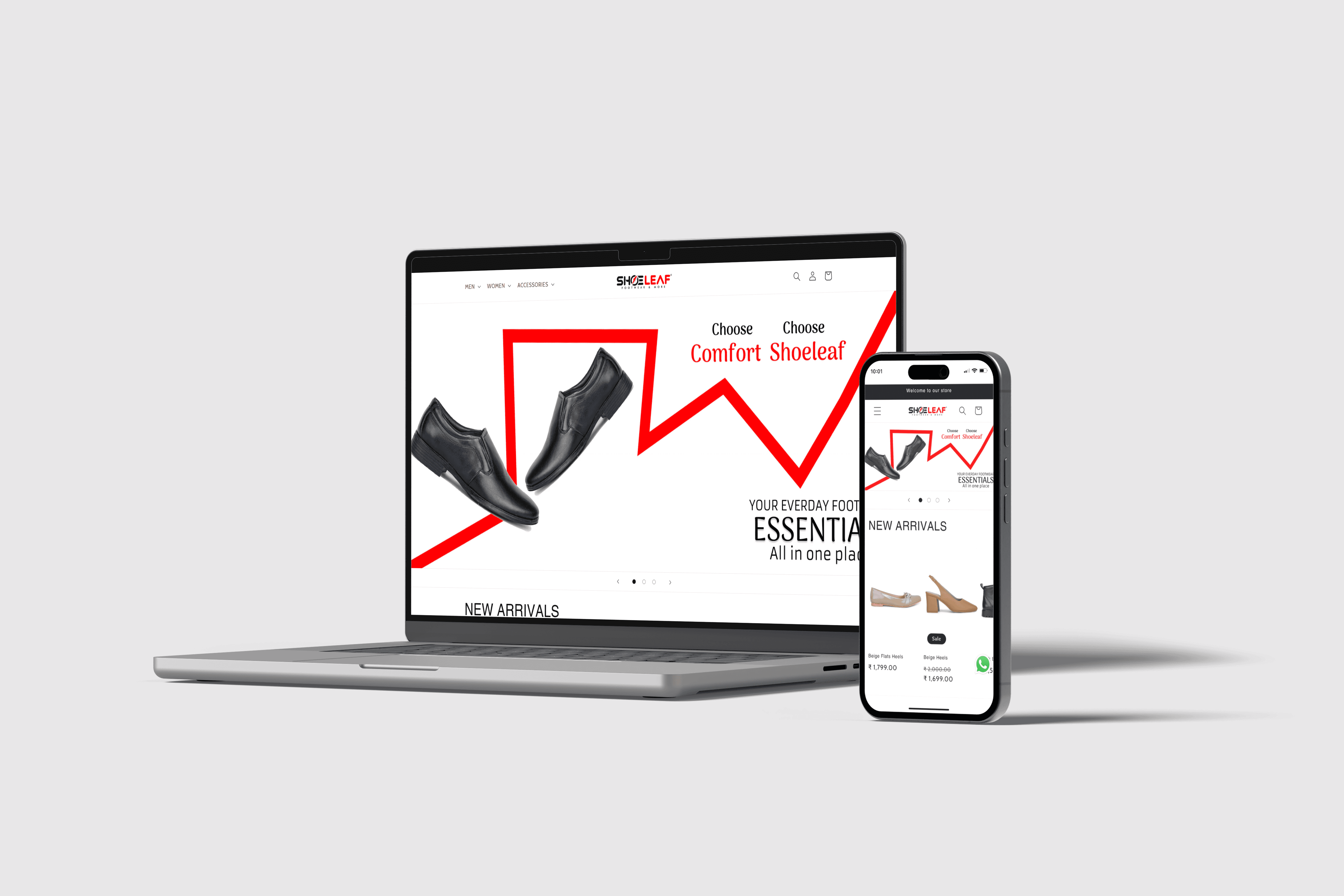
Internship Project: Shoeleaf Website Design
Designed an e-commerce website for Shoeleaf, streamlining the online footwear shopping experience from concept to interactive prototype.